Getting started
Disclaimer
Run this program at your own risk. Creators of hacked mud or hackmud don't bare any responsibility for issues caused by this software. Official hackmud rules state that you should be mindful when running other peoples code on your machine.
Requirements
To run this software you'll need:
- Linux OS with X11 support
- Docker 29+
- Bun 1.3.8+
When making this software I used Linux Mint, but other X11 based distros should work as well. Wayland is not supported
Note
You can run a virtualbox VM with linux. This will work just fine.
Installation
First clone the repo. If you plan to extend the codebase and commit to github, you may want to fork it first.
git clone https://github.com/CakeEaterGames/hacked_mud.git
cd hacked_mud
All actions are performed from a Makefile. Run make help
Generate an env file by calling make prepare
make prepareCommand output
chmod +x deploy/configure-env.sh && ./deploy/configure-env.sh

======================================================
            hacked mud preparation script
======================================================

Enter Backend port [or leave empty for default 4434]:
Enter Frontend port [or leave empty for default 4435]:


✅ ✅ ✅
Environment file generated at ./deploy/.env
You can later edit it manually if you want

After launching the application:
- open http://10.40.0.126:4435/hacked_mud_dashboard in your browser to see the client
- open http://10.40.0.126:4434/hacked_mud_api/docs in your browser to see the API documentation
Next call make install to install all node_modules locally. This is mostly for frontend deployment but this will also give your editor ability to highlight errors and give suggestions.
make installLaunching
Run make prod to launch hacked mud. Press CTRL+C to close hacked mud.
Alternatively, run make prod-d to launch in detached mode. Run make prod-logs to open the logs.
make prod
# OR
make prod-d
make prod-logs
Command output
...
[+] up 4/4
 ✔ Image hacked_mud-frontend       Built                                                                                                                                                                                                        3.7s
 ✔ Image hacked_mud-backend        Built                                                                                                                                                                                                        3.7s
 ✔ Container hacked_mud-backend-1  Started                                                                                                                                                                                                      2.4s
 ✔ Container hacked_mud-frontend-1 Started
By default x11 access is not available to docker, so run make x11
make x11Output should look like this
export DISPLAY=":0" && xhost +local:docker
non-network local connections being added to access control list
WARNING
You'll have to run make x11 once per OS restart
Open the browser at http://localhost:4435/ (or on whatever port you set earlier)
Open hackmud from steam or launch a hackmud-box container
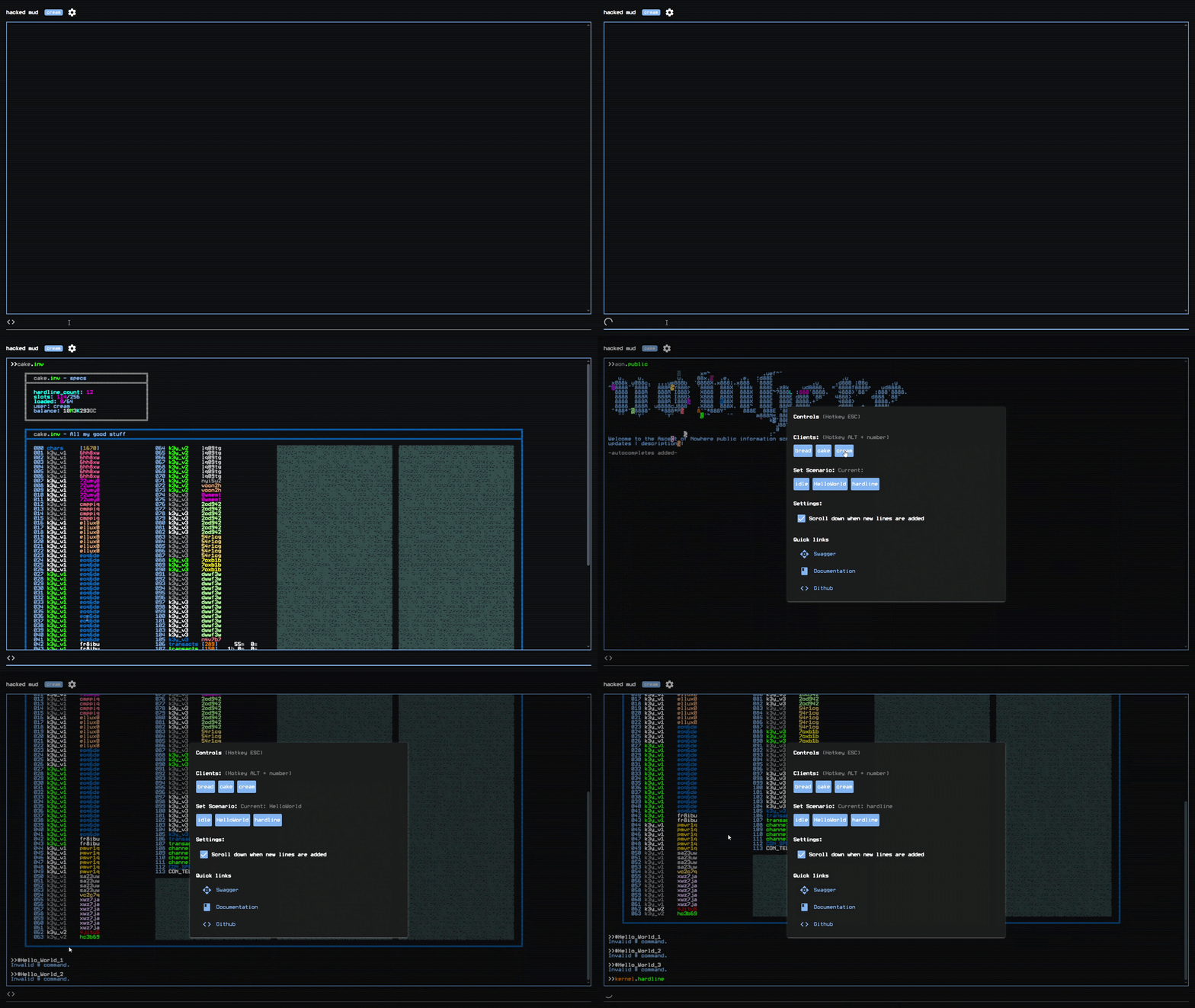
You will see something like this in your browser